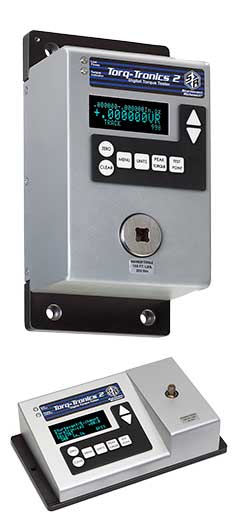


Torq-Tronics 2 & Hyperterminal Programs
Most torque testing programs use a software program to collect and manipulate torque test data. Torq-Tronics 2 downloads test results into several software programs, including PuTTY, HyperTerminal, and Torque Tool Manager 2.
Being able to download test data into a program and manipulate that data can provide important insight as to what is going on in torque applications. Test results can identify tools and users that continually go out of spec or experience loss of calibration faster than others.
Each program has advantages, disadvantages, and different pricing.
The links below are provided for your convenience and to assist you in making a software program selection.
HyperTerminal:
HyperTerminal offers a free trial download and then costs apply for purchase. For more information about HyperTerminal please follow this link:
http://www.hilgraeve.com/hyperterminal/
PuTTY:
PuTTY is a free, open software, but it may not be legal where encryption is an issue. Please verify any legal issues prior to downloading and using PuTTY.
To download the PuTTY and the directions please follow this link:
http://www.chiark.greenend.org.uk/~sgtatham/putty/download.html
Torque Tool Manager 2:
You should note that at this time Torq-Tronics 2 and Torque Tool Manager 2 (TTM2) have one-way communication between them, with the information flowing from the Torq-Tronics 2 to TTM2.
Please note the following:
- Test data from Torq-Tronics 2 to TTM2 is transferred, real time, after each test.
- The memory in Torq-Tronics 2 cannot be batch dumped into TTM2.
- TTM2 stores all test parameters for each tool using the tool serial number.
- It is NOT recommended to set target torque value and percent of accuracy in the Torq-Tronics 2 when using it with TTM2 software.
- Due to the one way communication between TTM2 and Torq-Tronics 2, unit of measure and peak mode must be manually set on the Torq-Tronics 2.TTM2 is NOT compatible with Mac operating systems.
Please keep these factors in mind when using Torq-Tronics 2 with Torque Tool Manager 2. For more information about Torque Tool Manager 2 please contact customerservice@srtorque.com.